How to Check a Screenshot Without a Date
Learn how to check a screenshot without a date by tracing its source, date, and scope, then choose a next action that fits what the image actually supports.
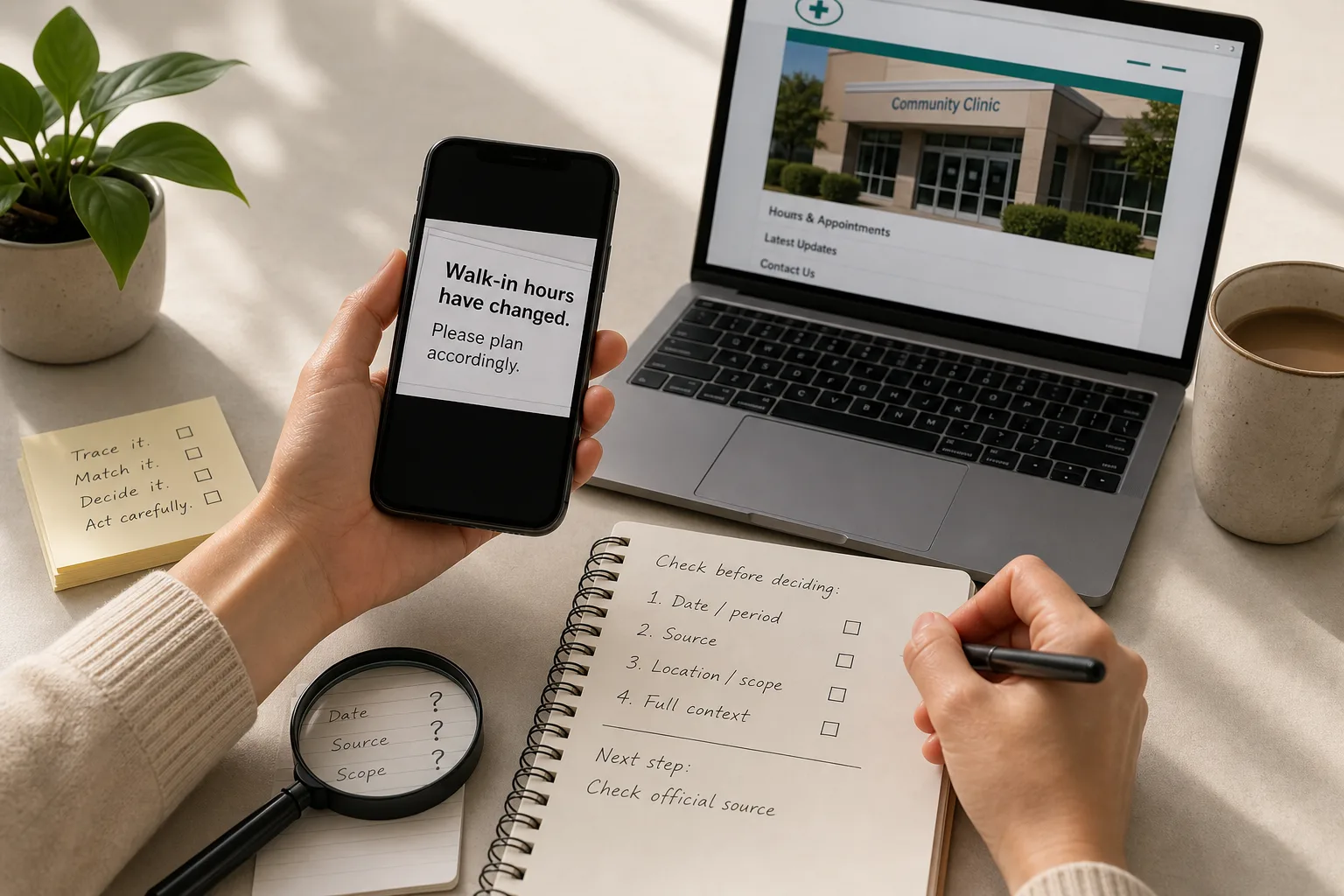
A neighbor sends you a screenshot of a notice, but the crop hides its date, location, and link. To check a screenshot without a date, start with those missing details: they determine whether the notice applies to the decision in front of you.
A screenshot can preserve a sentence while removing the page title, publisher, surrounding explanation, and time period. Treat it like a note torn from a notebook: the words remain, but the heading that explains them may be gone.
Read the screenshot for clues about date, source, and scope
Before searching, inspect the image itself. Look for a visible account name, web address, document title, logo, date, location, audience, or wording such as “updated” and “this Friday.” Each clue can help identify the original material, but none alone establishes that it is current or applies to your situation.
Separate three questions that are easy to blur together:
- Date: When was the image or original notice published, and what period does the notice describe?
- Source: Who created or issued the notice, rather than merely reposting it?
- Scope: Which location, service, group, or event does it cover?
A date printed inside a document may refer to an event, a revision, or an earlier period. Likewise, a platform name identifies where a post appeared, not necessarily who is responsible for its claim.
Trace the original before relying on a cropped copy
If the screenshot contains distinctive wording, search a short exact phrase along with any visible organization or account name. Open a result rather than relying on the search snippet, then compare the original wording with the crop. A full page or post may show a publication date, a location, or a qualification omitted from the image.
Check whether the original points to a responsible source. Reposts can help you follow a trail, but several copies of the same image do not independently confirm its date or scope. If the search leads only to copies and no identifiable original, record that the source remains unknown.
You can also ask the sender where they found the image, when they received it, and whether they can share the original link or the message around it. Their answers may provide a lead; they do not, by themselves, establish that the notice is current.
Match the source to the claim before deciding
For a notice about a service, schedule, policy, or event, seek information from the organization responsible for that specific matter. Reach its site or communication channel through a route you trust, then check whether the notice matches the screenshot’s location, audience, and relevant time period.
A source can be authentic yet still not answer your question. An official page for one location may say nothing about another, and an old notice may accurately describe a past change without applying now. If the source is silent or ambiguous, do not fill in the missing detail from the screenshot.
When a mistaken decision could affect health, safety, money, or legal matters, use the contact or professional appropriate to that situation. This article offers a general way to assess an image, not advice about what action to take in a particular case.
Which screenshot details should change your next action?
What if the screenshot has no date?
Look for a date in the original post or document, and distinguish the publication date from the period the notice describes. If neither is available, treat its timing as unresolved and consult a current source relevant to the claim before relying on it.
How can I tell who issued the notice?
Follow a visible account name, link, document title, or organization to its original context. If you cannot connect the image to an identifiable source, ask the sender for the original or keep the source marked as unknown.
What if the notice names a different location?
Keep the claim within the scope the source actually states; do not assume it applies to other places or groups. If your location is missing, look for a notice that names it or ask the responsible organization for clarification.
When is it reasonable to stop checking?
Stop when a relevant source answers the specific question that could change your choice, while keeping any limits visible. If the source does not answer it, leave the claim unresolved rather than treating repeated copies as confirmation.
Work through the missing-context problem
Imagine you need to decide whether to travel to a particular community clinic, and a neighbor sends a screenshot that says walk-in hours have changed. The image has no date, location, or link, and the neighbor cannot recall where it came from. Those are the starting facts; they do not establish whether the claim is true or false.
First, ask the neighbor for the original post or message. In this imagined situation, they cannot provide one, so the source stays unknown. Next, open the clinic’s website through a route you already trust and look for a notice that identifies your clinic location and the relevant hours. If it names both, you have a source that addresses the scope and timing needed for this choice; if it does not, the screenshot remains insufficient.
Then choose according to what remains unanswered: use information that clearly applies, or contact the clinic through its listed channel for clarification. If the matter calls for professional guidance, seek it from an appropriate qualified professional. The result is not a verdict on the screenshot’s origin; it is a decision based on whether the available source covers the location and time at issue.
Use each observation to choose a next step
Check the details that could alter your decision. For each one, use the observed result to choose an action rather than guessing at missing context.
- Date or period: If the original names a period relevant to your decision, use it only for that period; if the date is missing or unclear, seek a current source before relying on the claim.
- Publisher: If you can identify the issuing account or organization through an independent route, inspect its original notice; if not, ask the sender for a link or leave the source unknown.
- Location or audience: If the notice names your location or group, keep your decision within that scope; if it names another or none, look for a source that covers yours or ask the responsible organization.
- Original wording: If the full post matches the crop, check its date and scope; if it adds a qualification or differs from the image, rely on the full context rather than the crop.
- Current responsible source: If it directly answers the question, use the answer within its stated limits; if it is silent or outdated, seek clarification rather than assuming.
- Consequences: If a mistaken choice could have serious consequences, contact the organization or qualified professional appropriate to the situation; if the choice is minor, use a proportionate source check and keep unresolved details visible.
- Remaining uncertainty: If the source, date, and scope support the claim, share the original and its limits; if any of those remain unresolved, do not forward the screenshot as a current notice.
Share what the source supports and no more
If you pass along a notice, include its direct source and the location or group it covers. If you found only an old or undated copy, say that its timing is unclear rather than calling it false without further evidence.
A useful note might say, “This notice names the downtown location, but I could not confirm whether it applies elsewhere.” That wording preserves the boundary between what the source says and what the screenshot leaves open.
To check a screenshot without a date, keep its source, timing, and scope attached to the claim. When one of those remains unknown, naming that gap gives the next reader a clearer basis for deciding what to do.